cIQventory: Stock Management for Australian GP Clinics
Live stock counts, vaccine expiry alerts and QR stock takes for the treatment room, with patient privacy built in.
What is cIQventory?
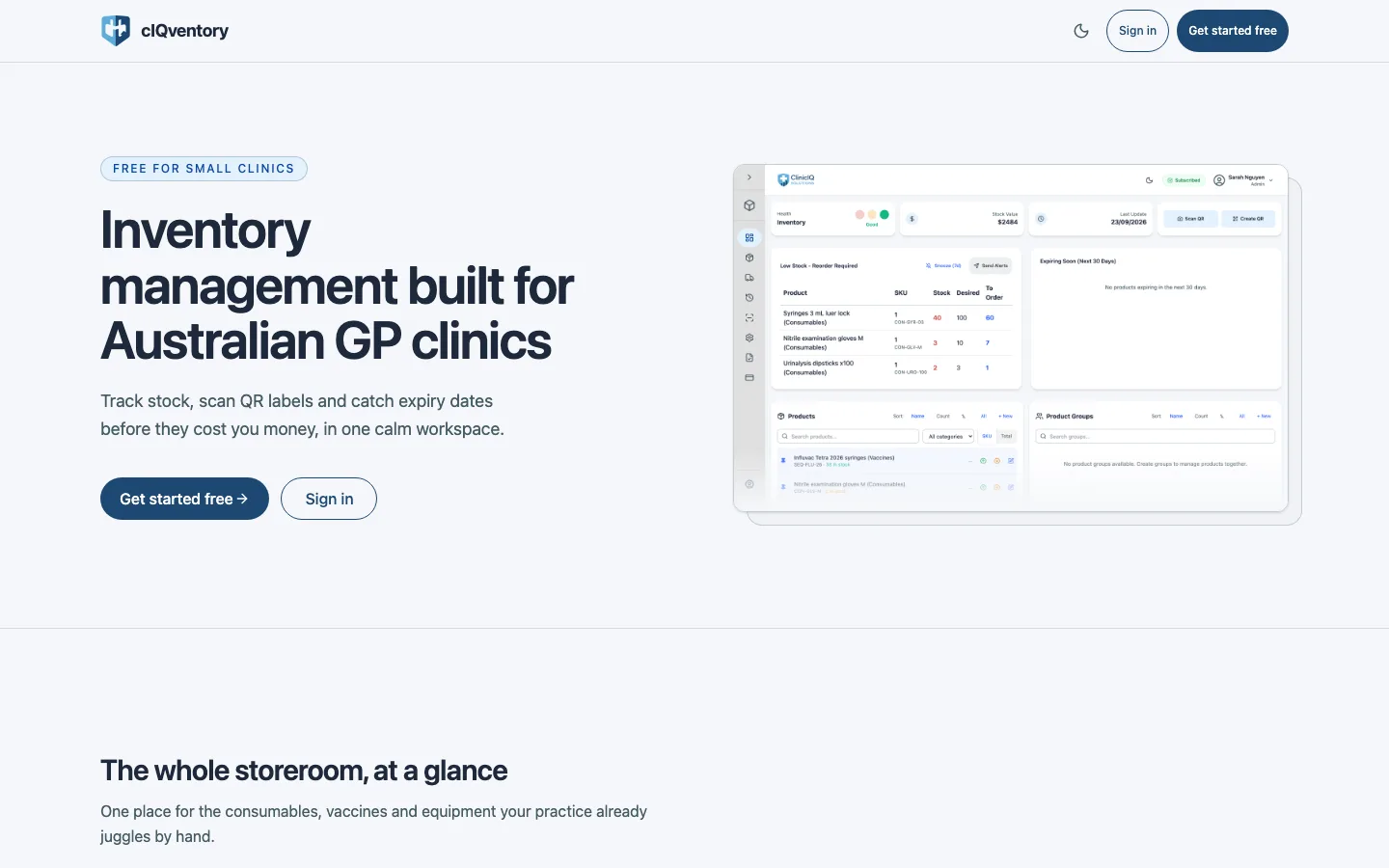
cIQventory is stock and inventory management software for Australian GP clinics. It keeps a live count of every vaccine and consumable, alerts the team before stock expires or runs out, and builds the reorder list for you. It is non-PHI by design — the data model has no patient records — and every practice starts free.
What cIQventory does
The treatment room, the vaccine fridge and the storeroom — in one calm workspace.
Live inventory, honest counts
Every item carries its quantity, category and reorder level. Group products into kits so a vaccination trolley or dressing tray is adjusted in one transaction, pin the everyday items, and export to CSV or PDF when the auditor asks.
Expiry that minds itself
Expiring-soon stock sits on the dashboard, and email or SMS alerts go out at a threshold you set per product. Expired stock is written off automatically overnight, so counts stay honest — built for vaccine fridge duty. Running a breach stock-take? The vaccine cold-chain checklist walks the steps.
QR labels and Quick Scan
Print QR labels from the product screen and scan them with any phone camera, zoom included. Stock is added or removed the moment a scan lands, from anywhere in the treatment room. Manual entry and search cover items whose label has gone missing.
Non-PHI by design
cIQventory tracks stock, not patients: there are no patient records in the data model. Inventory, suppliers and history are scoped to your organisation with Admin, Staff and Viewer roles, and every change carries the name of who made it.
Who it's for — and how it works
Built for the practice nurse who runs the treatment room and the vaccine fridge, and for practice managers who want medical stock off spreadsheets. The whole team works in it: admins manage the organisation and alert routing, staff scan stock in and out, and viewers stay informed without edit rights.
-
Step 1 — Set up your stocklist
Create your organisation, add products with their reorder levels and expiry-prone batches, or bring the list in from a CSV. Set-up takes minutes, and the free plan covers up to 15 products.
-
Step 2 — Print labels, scan stock
Print QR labels from the product screen and stick them on the shelf or the box. The team scans stock in and out as it is used — no navigating back to an inventory list mid-shift.
-
Step 3 — Let the alerts work
The dashboard surfaces low stock and expiring-soon lists, and reorder or expiry alerts go to the email or SMS recipients you choose. Snooze an alert when the reorder is already on its way.
cIQventory vs the stock spreadsheet
A spreadsheet is free and familiar — until the vaccine fridge, the auditor and the mid-clinic stockout all land in the same week.
| The job | cIQventory | Spreadsheet |
|---|---|---|
| Keeping counts up to date | Scan a QR label on the spot — every movement is logged against the product | Someone types the numbers in, usually after the shift |
| Catching vaccine expiry | Expiring-soon list on the dashboard; email/SMS alerts at a threshold you set | A date column and whoever remembers to sort it |
| Building the reorder list | Generated from reorder levels; expired stock written off automatically overnight | Eyeballed from the sheet, then written on paper |
| Knowing who changed what | Every change carries the team member's name | No history unless someone keeps notes |
| When the auditor asks | One-click CSV or PDF export | Reformatting the sheet by hand |
| Cost | Free tier (up to 15 products); Pro $29/month per organisation | Free — if someone keeps it accurate |
cIQventory FAQ
The questions practice managers and nurses ask before switching.
Does cIQventory store patient information?
No. cIQventory is non-PHI by design: it tracks stock, not patients. The data model has no patient records, and an in-app reminder keeps patient details out of free-text notes. Data is encrypted in transit and at rest and hosted in the Australia (Sydney) region.
How does cIQventory handle vaccine expiry?
Every batch carries an expiry date. Expiring-soon stock is listed on the dashboard and email or SMS alerts go out at a threshold you set per product. Expired stock is written off automatically overnight, so your counts stay honest without a manual stock take.
How much does cIQventory cost?
The free plan covers up to 15 products, 1 supplier and 2 product groups, with QR labels, the low-stock and expiry dashboard, and CSV/PDF export. Pro is $29 per month per organisation (30-day trial, billed monthly, cancel anytime) for unlimited products plus AI reorder insights and analytics.
Does cIQventory replace our stock spreadsheet?
For most clinics, yes. Counts update as scans land, expiry and low-stock alerts replace diary notes, and the reorder list builds itself. You can still export to CSV or PDF whenever the auditor — or your practice manager — asks for the numbers.
Can the whole team use cIQventory?
Yes. Members join by invite with Admin, Staff and Viewer roles: admins manage the organisation and alert routing, staff record movements and scan stock, and viewers stay informed without edit rights. Every change carries the name of the person who made it.
Stop Guessing What's in the Fridge
Set your organisation up in under a minute and start on the free plan — no card, no lock-in.
Part of the ClinicIQ suite
cIQventory sits alongside Nursepod for clinic task management, Docsert AI for document structuring and PIPQI for PIP QI tracking — free to start on every app, and the four Pro tools bundle for $99/month. The full suite overview lives on the automations page. Getting cold-chain right? Read the vaccine cold-chain checklist next.
Page last updated: 03/10/2026